Picture this: You walk into your home after a long day. The lights shift to your favorite shade of warm white, your playlist starts up, and the thermostat nudges the temperature just right. No switches, no remotes—just a house that seems to know you. That’s the magic of smart home installations. If you’ve ever wondered whether these systems are just for techies or millionaires, you’re not alone. The truth? Smart home installations are changing how regular people live, one small upgrade at a time.
What Are Smart Home Installations?
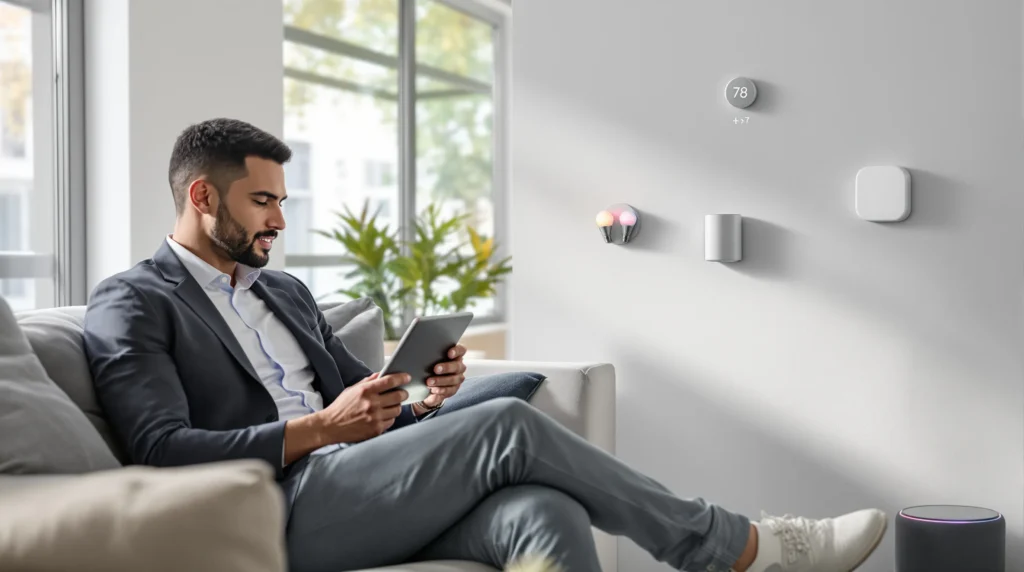
Let’s break it down. Smart home installations connect devices—like lights, thermostats, cameras, and speakers—to your Wi-Fi. You control them with your phone, voice, or even set them to run on their own. The goal? Make life easier, safer, and a little more fun. If you’ve ever fumbled for keys in the rain or worried you left the oven on, smart home installations can help.
Who Should Consider Smart Home Installations?
These setups aren’t just for gadget lovers. They’re for busy parents who want to keep an eye on kids, travelers who want to check in from afar, and anyone who likes saving money on energy bills. If you hate fiddling with thermostats or want to make your home safer, smart home installations might be for you. But if you love old-school switches and don’t want to mess with apps, you might skip this trend.
How Smart Home Installations Work
Here’s the part nobody tells you: You don’t need to rewire your whole house. Most smart home installations use wireless tech. You can start small—maybe a smart speaker or a video doorbell. Then, add more devices as you get comfortable. The key is picking products that work together. Some brands play nice; others don’t. Do a little research before you buy.
Common Devices in Smart Home Installations
- Smart lights: Change color, dim, or turn on/off from your phone.
- Thermostats: Adjust temperature automatically or from anywhere.
- Security cameras: Watch live video, get alerts, and store footage.
- Smart locks: Lock or unlock doors with your phone or voice.
- Speakers and displays: Play music, show the weather, or control other devices.
Each device adds a layer of convenience. Together, they create a home that feels alive.
Real-Life Stories: The Good, the Bad, and the Surprising
Let’s get real. My first smart home installation was a disaster. I bought a cheap smart bulb, plugged it in, and spent an hour yelling at my phone. Turns out, my Wi-Fi was too weak in the living room. Lesson learned: Good Wi-Fi is the backbone of any smart home installation. Once I fixed that, things clicked. Now, I can turn off every light in the house with a single voice command. It feels like living in the future—except when the internet goes out and I have to use the old switch.
What Surprised Me Most
Here’s what nobody tells you: Smart home installations aren’t just about convenience. They can make you feel safer. I get alerts if someone’s at the door, even when I’m on vacation. I can check if I left the garage open. And yes, I’ve caught my dog stealing socks on camera. It’s not perfect, but it’s a lot more peace of mind than I expected.
Benefits of Smart Home Installations
- Save time: Automate routines like morning lights or bedtime music.
- Save money: Smart thermostats and lights can cut energy bills by up to 20% (according to the U.S. Department of Energy).
- Boost security: Get instant alerts for motion, doors, or windows.
- Accessibility: Voice controls help people with mobility challenges.
- Fun factor: Movie night with lights that dim automatically? Yes, please.
But here’s the catch: Not every device works perfectly. Sometimes, updates break things. Sometimes, you’ll wish for a good old-fashioned switch. But when it works, it’s hard to go back.
Common Mistakes and How to Avoid Them
If you’re thinking about smart home installations, learn from my mistakes. Don’t buy a bunch of random gadgets. Start with one or two devices you’ll use every day. Make sure your Wi-Fi is strong in every room. Check if your devices work with your phone or voice assistant. And don’t forget about privacy—set strong passwords and update your devices regularly.
What to Watch Out For
- Cheap devices that don’t get updates
- Products that don’t work with your phone or voice assistant
- Weak Wi-Fi signals in key rooms
- Ignoring privacy settings
Here’s why: A little planning saves a lot of headaches. Trust me, you don’t want to be the person who can’t turn on the lights because the app crashed.
How to Get Started with Smart Home Installations
Ready to try smart home installations? Start small. Pick a device that solves a real problem—like a smart plug for your coffee maker or a video doorbell. Set it up, play with the features, and see how it fits your life. If you like it, add more devices over time. Don’t feel pressured to automate everything at once. The best smart home installations grow with you.
Next Steps
- Check your Wi-Fi strength in every room.
- Pick a device that excites you.
- Read reviews and check compatibility.
- Set up strong passwords and privacy settings.
- Enjoy the little moments—like lights that greet you at the door.
If you get stuck, there are tons of online guides and communities ready to help. And if you mess up? You’re not alone. Every smart home owner has a story about the time their lights turned purple at 3 a.m.
Final Thoughts: Is a Smart Home Right for You?
Smart home installations aren’t magic, but they can make life feel a little more magical. If you love gadgets, want to save time, or just want to feel safer, it’s worth a try. If you hate apps or love simplicity, you might skip it. Either way, the future is here—and it’s waiting in your living room.