Picture this: You’re lying in bed, lights off, about to drift off, when you realize you left the kitchen lights blazing. You groan, but instead of getting up, you grab your phone and tap a button. The kitchen goes dark. That’s the magic of a smart home switch. If you’ve ever wished your house could listen, respond, and make life easier, you’re not alone. Smart home switches are changing the way we interact with our homes, one tap or voice command at a time.
What Is a Smart Home Switch?
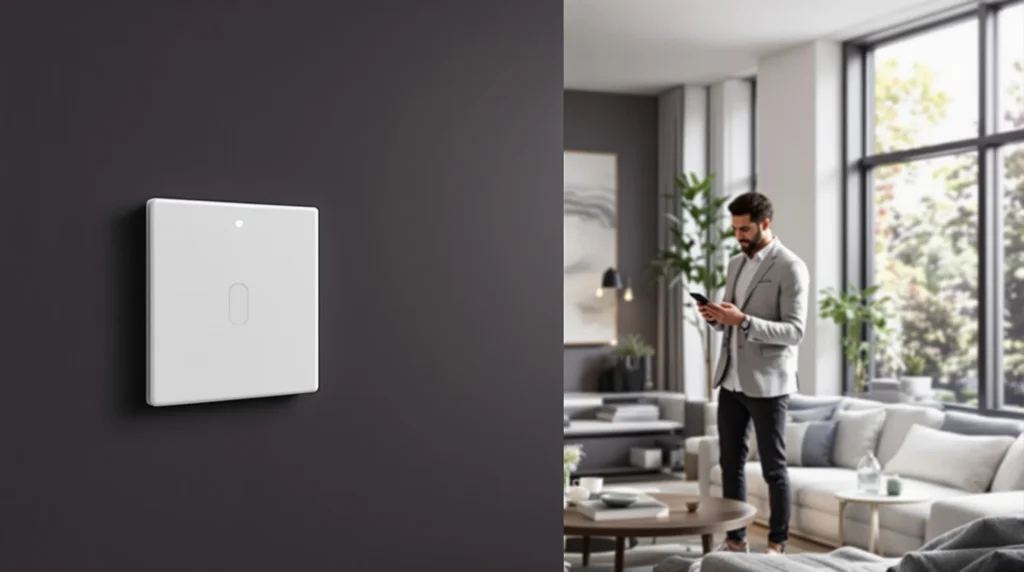
A smart home switch is a device that lets you control your lights, fans, or appliances from your phone, tablet, or even with your voice. It replaces your regular wall switch and connects to your home Wi-Fi. Suddenly, you’re not just flipping a switch—you’re setting schedules, creating moods, and making your home work for you. If you’ve ever fumbled for a light switch in the dark, you’ll appreciate the difference.
How Does a Smart Home Switch Work?
Let’s break it down. A smart home switch connects to your home’s electrical wiring just like a regular switch. But here’s the twist: it also connects to your Wi-Fi network. This connection lets you control the switch from anywhere using an app or a smart speaker. Some switches use Bluetooth or Zigbee, but Wi-Fi is the most common for easy setup.
- Install the switch in place of your old one
- Connect it to your Wi-Fi using the manufacturer’s app
- Control your lights or appliances from your phone or with your voice
It’s that simple. No more running around the house flipping switches. You can even set schedules so your lights turn on before you get home or off when you leave.
Why Choose a Smart Home Switch?
Here’s the part nobody tells you: smart home switches aren’t just about convenience. They can save you money, boost security, and even help you sleep better. If you’ve ever left lights on all night, you know how fast that electric bill climbs. With a smart home switch, you can check and turn off lights from anywhere. Some models even track your energy use, so you can see exactly where your money’s going.
Security gets a boost, too. Heading out of town? Set your lights to turn on and off at random times. It looks like someone’s home, even when you’re miles away. And if you’re the type who worries about leaving the iron on, a smart home switch can give you peace of mind. Just check the app and turn it off remotely.
Types of Smart Home Switches
Not all smart home switches are created equal. Here’s a quick rundown:
- Single-pole switches: Control one light or device from one location. Perfect for bedrooms or bathrooms.
- Three-way switches: Control the same light from two locations, like at the top and bottom of a staircase.
- Dimmer switches: Adjust the brightness of your lights for movie night or a cozy dinner.
- Multi-gang switches: Control several lights or devices from one panel.
If you’re not sure which you need, check your current switches. If you have two switches controlling the same light, you’ll need a three-way smart home switch.
Smart Home Switch Features That Matter
Let’s get specific. Not all features are created equal, and some are just marketing fluff. Here’s what actually matters:
- Compatibility: Make sure your smart home switch works with your existing smart home system—Alexa, Google Assistant, or Apple HomeKit.
- Scheduling: Set your lights to turn on or off at specific times. Great for routines or vacations.
- Remote access: Control your switches from anywhere, not just when you’re on Wi-Fi.
- Energy monitoring: Some switches show you how much power you’re using. If you’re trying to cut costs, this is gold.
- Voice control: Hands full? Just ask your smart speaker to turn off the lights.
Here’s why this matters: If you buy a switch that doesn’t work with your system, you’ll end up frustrated. Always check compatibility before you buy.
Installation: What to Expect
If you’ve ever changed a light switch, you can probably install a smart home switch. But here’s the catch: most smart switches need a neutral wire. Older homes sometimes don’t have one. Before you buy, pop off your switch plate and check for a bundle of white wires. No neutral? Look for smart switches designed for older wiring, or call an electrician.
Installation usually takes about 15-30 minutes. Turn off the power, swap the wires, screw in the switch, and connect it to your Wi-Fi. The app will walk you through the rest. If you’re nervous about wiring, there’s no shame in calling a pro. Safety first.
Who Should (and Shouldn’t) Get a Smart Home Switch?
If you love gadgets, hate wasted energy, or want to make your home safer, a smart home switch is for you. Parents with kids who never turn off the lights? You’ll love it. People with mobility issues? Total game-changer. But if you rent and can’t change the wiring, or if you’re not comfortable with basic electrical work, you might want to try smart bulbs or plug-in smart outlets instead.
Here’s a lesson I learned the hard way: Don’t buy the cheapest switch you find online. I did, and it dropped Wi-Fi every week. Spend a little more for a reliable brand. Your sanity will thank you.
Smart Home Switches vs. Smart Bulbs
Let’s settle this debate. Smart bulbs screw into your existing fixtures and connect directly to Wi-Fi or Bluetooth. They’re easy to install—no wiring required. But if someone flips the wall switch off, the bulb loses power and you lose control. Smart home switches, on the other hand, control the power at the source. You can use any bulb you like, and you never have to worry about someone flipping the switch.
If you want to control a whole room or house, smart home switches are usually the better choice. If you just want to play with colors in one lamp, smart bulbs might be enough.
Tips for Getting the Most Out of Your Smart Home Switch
- Set up routines—like turning on the porch light at sunset.
- Use vacation mode to randomize lights when you’re away.
- Pair with motion sensors for hands-free lighting in hallways or bathrooms.
- Check for firmware updates to keep your switch secure and running smoothly.
- Share access with family members so everyone can control the lights.
Here’s the part nobody tells you: The first week, you’ll play with every feature. After that, you’ll settle into a few favorites. That’s normal. The real value comes from the routines that make your life easier, not the novelty.
Common Mistakes and How to Avoid Them
We all make mistakes. Here are a few I’ve seen (and made):
- Buying a switch that doesn’t fit your wiring—always check before you buy.
- Forgetting to turn off the power before installation—don’t risk it.
- Ignoring compatibility—make sure your switch works with your smart home system.
- Overcomplicating things—start with one or two switches before automating the whole house.
If you’ve ever felt overwhelmed by smart home tech, you’re not alone. Start small, learn as you go, and don’t be afraid to ask for help.
The Future of Smart Home Switches
Smart home switches keep getting smarter. Some now have built-in sensors that adjust lighting based on the time of day or your presence. Others work with energy-saving programs from your utility company. The goal? A home that anticipates your needs and helps you live better, not just fancier.
If you’re curious, start with one smart home switch in a room you use every day. See how it changes your routine. You might be surprised by how quickly you get used to the convenience—and how much you miss it when it’s gone.